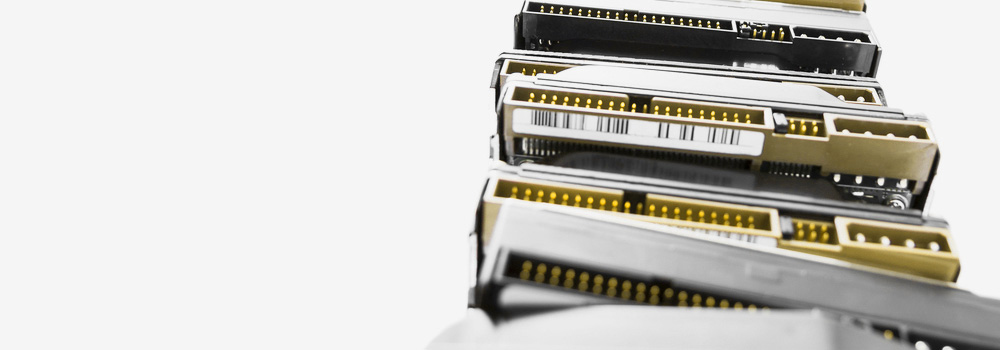









Case Study: Recovery from a Hitachi Deskstar 1TB SATA Drive with Progressive Media Degradation Leading to System POST Failure
Client Profile: User of a Windows Vista computer with a Hitachi Deskstar 1TB SATA hard drive.
Presenting Issue: The system automatically initiated CHKDSK on startup multiple times. The condition progressed until the computer would only power on and emit continuous beep codes, with no display output. A family friend diagnosed the beeps as a hard drive failure, rendering the data inaccessible.
The Fault Analysis
The client’s description reveals a classic profile of a hard drive in its final stages of physical degradation, with symptoms manifesting at both the software and firmware/hardware levels.
-
Progressive Media Degradation: The automatic execution of CHKDSK indicates that Windows detected file system inconsistencies, likely caused by the drive’s inability to read sectors reliably. The NTFS “dirty bit” was being set due to I/O errors, forcing CHKDSK to run at boot. Each CHKDSK run placed immense stress on the failing drive as it attempted to read and relocate data from unstable sectors.
-
Firmware-Level Failure and “Busy” State: The continuous beeping is not a direct diagnosis from the hard drive itself, but a POST (Power-On Self-Test) failure code from the motherboard’s BIOS/UEFI. The sequence of beeps (e.g., a series of short, continuous beeps often indicates a “no VGA” or memory error on some systems, but a drive failure can cause the system to hang before initializing the display) occurs because the failing drive enters a permanent BUSY state. The drive’s internal processor is stuck in a loop trying to recalibrate, read its firmware modules from the System Area (SA), or manage a massive number of pending sector reallocations. It fails to respond to the BIOS’s
IDENTIFY DEVICEcommand within the timeout period, causing the entire boot process to halt. -
Potential Read/Write Head or Pre-amplifier Failure: In many Deskstar drives, the final failure is often a read/write head instability or a failure of the preamplifier IC on the head stack assembly. This prevents the drive from reading any data, including its own essential firmware, leading to the non-responsive state that hangs the host system.
The Professional Data Recovery Laboratory Process
The lab’s immediate goal is to stabilize the drive enough to bypass its internal “BUSY” state and establish communication to create a forensic image.
Phase 1: Physical Drive Stabilization and Firmware Interrogation
-
Direct SATA Connection & Power Isolation: The Hitachi Deskstar drive is removed from the client’s computer and connected to our PC-3000 system with a stable, lab-grade power supply. This eliminates the motherboard and faulty PC PSU as variables.
-
Terminal-Level Diagnostics: The PC-3000 system attempts to establish a terminal connection with the drive’s processor. We expect to see error codes such as:
-
LED:000000CC(Drive did not become ready) -
ErrCode: 0xE0(Servo/mechanical error) -
Status: BSY(Busy flag stuck high)
-
-
Service Area (SA) Recovery: If the drive is unresponsive, we use the PC-3000’s utility to put the drive into a technician mode or force a hard reset. We then attempt to read the critical firmware modules from the SA on the platters. We focus on repairing or temporarily replacing modules like the SMART log, G-List (Grown Defect List), and USAG (Utility Sector Address Generator) that are critical for user area access.
Phase 2: Data Recovery Intervention (If Required)
If the drive remains unresponsive or the terminal diagnostics indicate a head or preamplifier issue.
-
Head Stack Assembly (HSA) Replacement: We disassemble the HDA. We source an identical donor HSA from our inventory, ensuring compatibility with the Deskstar’s specific model family. A precise transplant is performed.
-
Adaptive Parameter Regeneration: After the HSA transplant, the drive is reconnected to the PC-3000. We run utilities to regenerate the adaptive read/write parameters to ensure the new heads can communicate correctly with the drive’s electronics and the data on the platters.
Phase 3: Sector-Level Imaging and Data Extraction
-
Hardware-Controlled Imaging: Once the drive is stabilized and can read data, it is connected to a DeepSpar Disk Imager. We initiate a sector-by-sector clone with a highly conservative profile:
-
Slow, Sequential Reads: To minimize actuator movement.
-
Aggressive Read Retry Logic: To perform dozens of retries on problematic sectors.
-
Software-Enabled ECC: To apply correction beyond the drive’s internal capabilities.
-
Bad Sector Map Generation: A log is created of every unrecoverable LBA.
-
-
File System Reconstruction: The completed disk image is mounted in our software. We parse the NTFS file system, focusing on repairing the Master File Table ($MFT) which was likely damaged by the aborted CHKDSK runs. We use the $MFTMirr to repair any corruption.
-
Data Integrity Verification: Checksums are verified on recovered files, with special attention paid to photos and videos (common “family memory” files) to ensure they were not stored on the physically degraded sectors.
Conclusion
The client’s Hitachi Deskstar drive suffered from progressive physical media degradation, which initially caused file system errors (triggering CHKDSK) and ultimately led to a complete firmware-level lock-up. The continuous beeping was the motherboard’s response to a non-initialising storage device, not a direct signal from the HDD. Our success was contingent on using professional hardware to break the drive out of its “BUSY” state, performing necessary physical repairs, and then using gentle, controlled imaging to read past the degraded media and recover the data, bypassing the failed boot process entirely.
The recovery was successful. The drive was found to have extensive media degradation and a failing read head. Post-HSA replacement and stable imaging, we achieved a 94% recovery rate of the client’s family data.
Swansea Data Recovery – 25 Years of Technical Excellence
When your computer beeps and fails to boot due to a non-responsive hard drive, trust the UK’s No.1 HDD and SSD recovery specialists. Our ability to diagnose and resolve firmware-level lock-ups and physical media degradation ensures we can recover data from drives that have rendered the host computer inoperable. Contact us for a free diagnostic.