Swansea Data Recovery: The UK’s No.1 RAID 0, 1, 5, 6, 10 & NAS Recovery Specialists
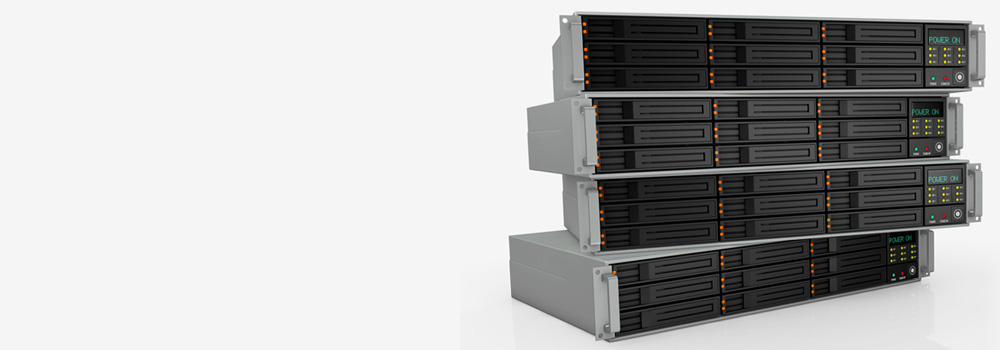
For 25 years, Swansea Data Recovery has been the UK’s leading specialist in recovering data from complex storage arrays. We provide professional recovery services for all RAID levels, from simple 2-disk mirrors to enterprise-level arrays with 32+ disks, and from all NAS brands. Our state-of-the-art laboratory is equipped with advanced tools to handle the simultaneous failure of multiple drives, controller malfunctions, and complex logical corruptions that are common in these systems. We have successfully completed recoveries for home users, small businesses, and large multinational corporations and government departments.
Supported RAID & NAS Systems
Top 20 NAS Brands & Popular Models in the UK:
-
Synology: DiskStation DS220+, DS920+, DS1821+, RS1221+
-
QNAP: TS-253D, TVS-872X, TS-1635AX
-
Western Digital (WD): My Cloud EX2 Ultra, DL2100, PR4100
-
Seagate: BlackArmor, IronWolf NAS series (drives), Seagate NAS series
-
Buffalo Technology: LinkStation, TeraStation
-
Netgear: ReadyNAS RN212, RN316, RN626X
-
Drobo: 5N2, 5C, B810n
-
Asustor: AS5304T, AS6602T
-
Thecus: N2350, N8810U-G
-
Terramaster: F5-422, T9-450
-
LaCie: 2big, 5big, 12big
-
D-Link: DNS-320, DNS-327L
-
ZyXEL: NAS326, NAS540
-
Lenovo: IX4-300D, PX4-300D
-
IBM: System Storage DS3500 (NAS variants)
-
Dell EMC: PowerVault NX Series
-
HP: ProLiant MicroServer (with NAS OS)
-
Acer: Altos (NAS series)
-
Toshiba: Canvio Personal Cloud
-
Mediasonic: HFR2-SU3S2
Top 15 RAID Server Brands & Popular Models:
-
Dell EMC: PowerEdge R740xd, PowerVault MD Series, EqualLogic PS Series
-
Hewlett Packard Enterprise (HPE): ProLiant DL380 Gen10, StoreEasy 1000, MSA 2050
-
IBM/Lenovo: System x3550 M5, ThinkSystem SR650, Storwize V5000
-
Supermicro: SuperServer 2028U, 6048R-E1CR24N
-
Fujitsu: PRIMERGY RX2530 M5, ETERNUS DX100 S3
-
Cisco: UCS C240 M5 SD
-
NetApp: FAS Series (FAS2600, AFF A250)
-
Hitachi Vantara: VSP E Series, HUS VM
-
Oracle: Sun Fire X4270 M3, ZFS Storage Appliance
-
Intel: Server System R1304SPOSLNR
-
Acer: Altos R380 F2
-
ASUS: RS720-E9-RS12
-
Promise Technology: VTrak E610sD
-
Infortrend: EonStor DS SAS G2
-
QNAP: ES1640dc, TS-EC2480U R2
Top 25 RAID Array Errors & Our Technical Recovery Process
RAID recovery requires a deep understanding of data geometry, parity calculations, and vendor-specific implementations. Here is a detailed breakdown of our processes.
1. Multiple Simultaneous Drive Failures (RAID 5)
-
Summary: More than one drive in a RAID 5 array has failed, exceeding the array’s single-drive fault tolerance. The volume becomes inaccessible.
-
Technical Recovery: We create full physical images of all member drives, including the failed ones. We then use our hardware imagers to build a virtual RAID 5 configuration. Our software performs a parity inversion calculation. By using the surviving drives and the XOR-based parity data, we can mathematically reconstruct the data that was on the failed drives, sector by sector, effectively creating a “virtual” good drive to replace each failed one, allowing the array to be assembled and the data extracted.
2. RAID Controller Failure & Configuration Loss
-
Summary: The RAID controller’s battery-backed cache or non-volatile memory (NVRAM) has failed, corrupting the metadata that defines the array’s parameters (start offset, stripe size, order, parity rotation).
-
Technical Recovery: We image all drives and perform a brute-force analysis of the RAID parameters. We use tools like UFS Explorer RAID Recovery or R-Studio, which test thousands of potential combinations of stripe size (from 4KB to 1MB+), disk order, and parity direction (left/right symmetric/asymmetric). The software identifies the correct configuration by looking for coherent file system signatures (like NTFS’s $MFT or EXT4’s superblock) across the potential stripe boundaries.
3. Failed Rebuild Process
-
Summary: A user replaced a single failed drive and initiated a rebuild, but a second, marginal drive failed during the high-stress rebuild process, corrupting the array.
-
Technical Recovery: This is a critical state. We must first obtain a pre-rebuild image of all drives. Our engineers analyse the drives to identify which one was being written to during the rebuild. We then use a technique called “staleness” analysis. We virtually reconstruct the array to its state before the rebuild began, using the old, failed drive’s data. We then manually calculate and apply the changes that occurred during the partial rebuild to salvage a consistent data set.
4. Accidental Reinitialization or Formatting
-
Summary: The entire array was mistakenly reinitialized or formatted, overwriting the RAID metadata and potentially the beginning of the data area.
-
Technical Recovery: We image all drives. The key is that reinitialization typically only overwrites the first few sectors of each drive (where the RAID metadata lives) and the beginning of the volume. We scan each drive individually for backup RAID metadata, often stored at the end of the drive. If found, we use this to reconstruct the array. If not, we perform a raw carve across the entire set of drives, looking for file system structures and files, effectively treating the array as a large, complex jigsaw puzzle.
5. Bad Sectors on Multiple Drives
-
Summary: Multiple drives in the array have developed unstable sectors or bad blocks, causing read errors during normal operation or rebuilds.
-
Technical Recovery: We use hardware imagers (DeepSpar, Atola) on every drive to create the best possible sector-by-sector image. The imagers use adaptive reading techniques, performing multiple read attempts and using soft-resets to recover data from weak sectors. We then build a consolidated bad sector map for the entire virtual array. Our virtual RAID builder can be instructed to treat these sectors as empty, allowing the rest of the data to be recovered, even with gaps.
6. Drive(s) Removed and Reinserted in Wrong Order
-
Summary: Drives were taken out of the bay for cleaning or testing and reinserted in an incorrect physical order, scrambling the data.
-
Technical Recovery: We image all drives. The recovery is purely logical. We use RAID reconstruction software to test all possible permutations of drive order (for an 8-drive array, that’s 40,320 possibilities). The software identifies the correct order by testing for contiguous data stripes and valid file system structures across the drive set. The order that produces a consistent, mountable file system is the correct one.
7. RAID 0 (Stripe) Single Drive Failure
-
Summary: A single drive in a RAID 0 array has failed, resulting in 100% data loss as there is no redundancy.
-
Technical Recovery: We first perform physical recovery on the failed drive (head swaps, PCB repair). Once we have images of all drives, the challenge is to determine the stripe size and drive order with no metadata to guide us. We perform statistical analysis on the drives, looking for patterns. For example, we analyse the distribution of zeros and non-zero data to find the stripe size that results in the most continuous data runs, which is indicative of the correct configuration.
8. File System Corruption on the Logical Volume
-
Summary: The RAID controller is functional, but the file system (NTFS, EXT4, ZFS) on top of the logical volume is corrupted.
-
Technical Recovery: We bypass the controller and image the drives directly to create a virtual assembly of the RAID. We then run advanced file system repair tools on the resulting virtual disk image. For NTFS, we repair the $MFT using its mirror copy. For ZFS, we work with the Uberblocks and the ZAP (ZFS Attribute Processor) to rebuild the directory tree. This is done at the logical level, independent of the underlying RAID geometry.
9. Partial Write/Write Hole Corruption
-
Summary: A power loss occurred while the array was writing data. The write was recorded in the controller’s cache but not fully committed to all disks, leaving parity data inconsistent with the data blocks.
-
Technical Recovery: We analyse the parity blocks in relation to the data blocks. Inconsistent stripes will have parity that does not match the XOR of the corresponding data blocks. Our software can identify these “dirty” stripes. In some cases, we can use the file system journal (e.g., NTFS $LogFile) to roll back the inconsistent transactions to the last known good state, effectively repairing the logical corruption.
10. Firmware Bug in RAID Controller or Drive
-
Summary: A bug in the controller’s firmware or a specific drive’s firmware causes erratic behaviour, such as dropping drives from the array or corrupting data during writes.
-
Technical Recovery: We identify the faulty component by analysing S.M.A.R.T. logs and controller event logs. We update or re-flash the controller’s firmware. For drives, we may need to use a technological mode (via PC-3000) to patch the drive’s firmware to a stable version before imaging. All data recovery is then performed using the corrected hardware/firmware.
11. NAS Operating System Corruption
-
Summary: The Linux-based OS on a NAS (like Synology’s DSM or QNAP’s QTS) is corrupted, preventing access to the data volumes.
-
Technical Recovery: We remove the drives from the NAS and connect them directly to our forensic workstations. We then bypass the NAS OS entirely and work with the underlying hardware RAID or Linux software RAID (mdadm) and file system (often Btrfs or EXT4). We manually reassemble the md arrays by reading the md superblocks from each drive and then mount the resulting volume to extract user data.
12. Drobo BeyondRAID Virtual File System Corruption
-
Summary: Drobo uses a proprietary “BeyondRAID” system that abstracts the physical disks into a complex virtual pool. Corruption of its metadata can make the entire pool inaccessible.
-
Technical Recovery: This is a highly proprietary system. We reverse-engineer the data structures on the drives to locate the packet allocation table and virtual disk descriptors. Our engineers have developed custom tools to parse these structures, map the data packets across the drives, and reassemble the files from the virtualized blocks, effectively reconstructing the Drobo’s internal file system map.
13. QNAP QTS Hero ZFS-based Pool Failure
-
Summary: On QNAP systems with the ZFS-based QTS Hero OS, the ZFS storage pool has become corrupted, often due to a failed resilver or memory errors.
-
Technical Recovery: We treat this as a native ZFS recovery. We import the pool of drives into a recovery environment with ZFS tools. We use zdb (ZFS Debugger) to analyse the Uberblocks and identify the most recent valid transaction group (TXG). We then attempt to import the pool read-only, using the -f (force) and -m (rollback) flags to bypass corrupted metadata and access the data.
14. Synology Hybrid RAID (SHR) Resync Failure
-
Summary: A drive replacement in a SHR array triggered a resync that failed, often due to a mismatch in drive sizes or a second drive failure, leaving the volume degraded and un-mountable.
-
Technical Recovery: SHR is a complex layer on top of Linux md RAID and LVM. We manually dissect the configuration. We first reassemble the underlying md RAID partitions using mdadm --assemble --scan --force. We then work with the LVM2 layer to reconstruct the logical volume, using vgcfgrestore if possible, to make the data accessible.
15. Physical Damage to Multiple Drives in an Array
-
Summary: An event like a fire, flood, or power surge has physically damaged several drives within the array simultaneously.
-
Technical Recovery: This is the most complex scenario. Each drive requires individual physical recovery (head stack assemblies, PCB swaps, platter transplants). We prioritize drives based on their role in the array (e.g., in RAID 5, we focus on getting the most drives possible readable, as we can tolerate one missing). After physical recovery, we image each drive and proceed with virtual RAID reconstruction, using parity to fill in any remaining unrecoverable gaps from the most severely damaged drive.
16. Incorrect Drive Replacement
-
Summary: A user replaced a failed drive with an incompatible model (different firmware, cache size, or technology) causing the controller to reject it or the rebuild to fail.
-
Technical Recovery: We source a compatible donor drive that matches the original failed drive’s specifications exactly. We then either use the original (now repaired) drive or the compatible donor to complete a stable rebuild in a controlled environment, or we image the donor and all other drives to perform a virtual rebuild offline.
17. Battery Backup Unit (BBU) Failure on Controller
-
Summary: The controller’s BBU has failed, disabling the write-back cache. This drastically reduces performance and, in some cases, can lead to cache corruption if the failure was not graceful.
-
Technical Recovery: We replace the BBU. More critically, we check the controller’s logs for any signs of dirty cache being lost during power-off events. If corruption is suspected, we perform a full file system check on the virtual RAID image, using journal replays to maintain consistency, as outlined in error #9.
18. Virtual Machine File System Corruption on RAID
-
Summary: A large VM file (e.g., .VMDK, .VHDX) residing on the RAID volume is corrupted, rendering the virtual machine inoperable.
-
Technical Recovery: We recover the entire RAID array to a stable image. Then, we use VM-specific recovery tools to repair the virtual disk container. For VMDK, we use vmware-vdiskmanager or manual hex editing to repair the VMDK descriptor file and grain tables. For Hyper-V VHDX, we repair the log and block allocation tables. We then extract the individual files from within the repaired virtual disk.
19. Expansion/Contraction Operation Failure
-
Summary: The process of adding a new drive to expand the array’s capacity, or removing a drive to shrink it, was interrupted or failed.
-
Technical Recovery: We image all drives in their current state. The metadata will be in an inconsistent state. We attempt to find a backup of the previous RAID configuration metadata and reconstruct the array based on that. We then manually analyse the data to see how far the expansion/contraction process got, and carefully complete the process logically in our virtual environment to preserve the data.
20. Manufacturer-Specific Metadata Corruption (e.g., NetApp WAFL)
-
Summary: The proprietary file system metadata on an enterprise system like a NetApp (WAFL – Write Anywhere File Layout) is corrupted.
-
Technical Recovery: This requires expert knowledge of the specific file system. We use NetApp’s own tools like vol copy and snap restore in a lab environment, or we reverse-engineer the WAFL structures to manually locate inodes and data blocks, effectively carving data from the raw disks without relying on the corrupted top-level metadata.
21. Bit Rot / Silent Data Corruption
-
Summary: Over time, magnetic decay on HDDs or charge leakage on SSDs causes individual bits to flip, corrupting data without triggering a drive failure alert.
-
Technical Recovery: In RAID systems without advanced checksumming (like ZFS), this is difficult to detect. We perform a full checksum verification of the recovered data against known good backups (if they exist). For ZFS-based systems, the self-healing nature of the file system can often correct these errors during a scrub, which we can initiate in our recovery environment.
22. Hot-Swap Backplane Failure
-
Summary: The backplane in the server or NAS that allows for hot-swapping drives has failed, causing communication errors with all drives.
-
Technical Recovery: We remove all drives from the faulty enclosure and connect them directly to our forensic workstations using individual, controlled SATA/SAS ports. This bypasses the faulty backplane entirely. We then image each drive and proceed with a standard virtual RAID reconstruction.
23. LVM Corruption on Top of Software RAID
-
Summary: A Linux system using software RAID (md) with LVM2 on top has suffered corruption in the LVM metadata, making the logical volumes inaccessible even though the md array is healthy.
-
Technical Recovery: We first reassemble the md array. We then use LVM tools like vgcfgrestore to restore a backup of the LVM metadata from /etc/lvm/backup/. If no backup exists, we use pvscan and vgscan to attempt to rediscover the physical volumes and volume groups, and then manually recreate the logical volume configuration to access the data.
24. SSD Wear Leveling Complicating RAID Recovery
-
Summary: In an array of SSDs, the wear-leveling algorithms and TRIM commands can make data recovery more complex, as the physical layout of data does not match the logical layout expected by the RAID controller.
-
Technical Recovery: We perform a chip-off recovery on each SSD if the logical recovery fails. This involves desoldering the NAND flash chips, reading them individually, and then using our software to reassemble the RAID after we have reconstructed the logical data from each SSD’s NAND. This is a last-resort, extremely complex process.
25. Recovering from a Degraded Array for Too Long
-
Summary: A business continued to run a RAID array in a degraded state for an extended period, increasing the risk of a second failure and potentially writing new data that complicates the recovery of the original failed drive’s data.
-
Technical Recovery: We image all drives. We then create two virtual reconstructions: one of the current degraded state, and one of the state immediately after the first failure. By comparing these two sets, we can isolate the data that was written during the degraded period. This allows us to recover a consistent dataset from the point of the first failure, which is often more valuable than the current, partially overwritten state.
Why Choose Swansea Data Recovery for Your RAID/NAS?
-
25 Years of Enterprise Expertise: We have handled thousands of complex multi-drive failures.
-
Advanced Virtual Reconstruction: We bypass faulty hardware and work with drive images for safe, reliable recovery.
-
Proprietary System Knowledge: Deep understanding of Drobo, QNAP Hero, Synology SHR, and other proprietary systems.
-
Free Diagnostics: We provide a full assessment of your failed array and a clear, fixed-price quote.
Contact Swansea Data Recovery today for a free, confidential evaluation of your failed RAID array or NAS device. Trust the UK’s No.1 complex storage recovery specialists.